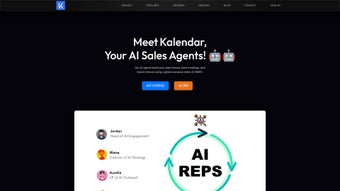

Download Kalendar – AI‑Powered Sales Automation, Meeting Scheduler, & Outreach Tool
Why Kalendar Is the Next Evolution in Sales Automation
In today’s hyper‑competitive B2B landscape, the ability to reach the right decision‑maker at the right time can mean the difference between a closed deal and a missed opportunity. Traditional outreach methods—cold calling, manual list building, and repetitive email sequences—are not only time‑consuming but also increasingly ineffective as prospects become more discerning. This is where Kalendar steps in, offering a unified platform that blends massive data mining, conversational AI, and seamless calendar integration into a single, cloud‑native service.
What makes Kalendar truly stand out is its focus on mimicking human conversation while operating at machine speed. By training autonomous agents on your brand voice, product details, and sales scripts, the software can engage prospects in real time on websites, LinkedIn, or through email, adapting its tone based on the conversation flow. When interest is detected, the AI instantly proposes meeting times, books the appointment, and logs the interaction in a central dashboard—all without any manual intervention.
The platform is designed for teams of all sizes, from solo founders looking to scale quickly to enterprise sales departments that need to orchestrate thousands of touchpoints daily. Its subscription model—$167 per active agent per month—includes continuous updates to the underlying AI models, ensuring you always have access to the latest advances in natural language processing and prospect intelligence. Whether you are aiming to shorten sales cycles, improve lead quality, or simply free your sales reps from mundane tasks, Kalendar offers a secure, GDPR‑compliant solution that can be deployed instantly from any web browser.
Overview and Core Features
KalendarAI Sales Agents is a subscription‑based SaaS platform that automates the entire prospecting funnel—from intelligent lead discovery to automated outreach and meeting scheduling. The system harnesses a proprietary database of over 200 million companies worldwide, applying machine‑learning algorithms to surface the most relevant contacts based on industry, company size, geography, and job title. Once a target list is generated, AI‑driven agents initiate live‑chat conversations on your website or through LinkedIn, responding in a human‑like manner, handling objections, and nudging qualified prospects toward a calendar invite.
- AI‑Powered Prospect Identification: Real‑time scanning of global company directories to deliver verified email addresses, phone numbers, and LinkedIn profiles for decision‑makers.
- Autonomous Live‑Chat Agents: Fully customizable bots that converse 24/7, adapting language and script based on prospect responses.
- Instant Meeting Scheduler: Seamless sync with Google Calendar, Outlook, iCal, or any iCal‑compatible system to auto‑book meetings.
- Mass Email Automation: Drag‑and‑drop builder, AI‑generated subject lines, dynamic personalization fields, and multi‑step follow‑up sequences.
- Multi‑Channel Outreach: Unified dashboard for web chat, LinkedIn messaging, and email campaigns.
- Analytics & Reporting: Real‑time conversion metrics, agent performance dashboards, and exportable CSV reports.
- Compliance & Security: GDPR‑ready, end‑to‑end encryption, role‑based access controls, and ISO 27001 certification.
- Scalable Agent Library: Create unlimited personas—sales, recruiting, support—each with dedicated scripts and performance tracking.
- Native Integrations: HubSpot, Salesforce, Pipedrive, Zoho CRM, Google Workspace, Microsoft 365, and Zapier.
- Continuous Learning: Reinforcement learning loops that refine scripts based on successful outcomes.
Pros and Cons
- Reduces manual prospecting time by up to 80 %.
- AI agents operate around the clock, capturing leads outside business hours.
- Integrated scheduler eliminates back‑and‑forth email negotiations.
- AI‑generated email copy boosts open and reply rates.
- Robust analytics provide clear ROI visibility.
- Seamless CRM and calendar integrations.
- Scalable pricing—add agents as you grow.
- GDPR‑compliant data handling and encryption.
- Subscription cost may be high for very small teams.
- Initial setup requires well‑defined scripts and target criteria.
- Performance hinges on quality of training data you provide.
- Requires constant internet connection; no offline mode.
- Advanced customizations can have a learning curve for non‑technical users.
Installation, Setup & Compatibility
Getting Started – No Traditional Download Needed
Kalendar is a pure cloud service, meaning there is no installer, no license key, and no hardware to maintain. To begin, visit the official website, click “Start Free Trial,” and complete the sign‑up form with your business email. After verifying your address, you are taken to an intuitive onboarding wizard that guides you through agent creation in less than ten minutes.
Step‑by‑Step Configuration
- Create an Agent Profile: Choose a pre‑built template (e.g., “Outbound Sales Rep”) and input brand tone, product FAQs, and objection‑handling scripts.
- Define Target Criteria: Set industry, company size, geography, and job title filters; Kalendar pulls matching prospects from its massive database.
- Connect Calendars & CRMs: Link Google Calendar, Outlook, or iCal for automatic meeting booking; integrate HubSpot, Salesforce, or other CRMs via API keys.
- Deploy the Chat Widget: Insert a short JavaScript snippet into your site’s footer; the widget appears as a discreet chat icon that activates based on visitor behavior.
- Launch Email Campaigns: Upload a CSV of leads, select an email template, and configure trigger rules (e.g., “send follow‑up 48 hours after no reply”).
- Monitor & Optimize: Use the real‑time dashboard to track agent performance, adjust scripts, and A/B test messaging for higher conversion rates.
Compatibility
Because Kalendar runs entirely in the browser, it is compatible with every major operating system: Windows 10/11, macOS Ventura and later, popular Linux distributions, as well as mobile platforms such as Android 9+ and iOS 13+. The service is hosted on AWS, delivering high availability, automatic scaling, and continuous security patches without any user intervention.
For users who prefer a native‑app feel, Kalendar offers a progressive web app (PWA). By “installing” the PWA on Windows, macOS, Android, or iOS, you can launch the platform from your desktop or home screen while still leveraging the cloud backend. This ensures a consistent experience across laptops, desktops, and smartphones, with all data syncing instantly across devices.
Frequently Asked Questions
How does Kalendar find the right contacts within a company?
Kalendar accesses a proprietary database of over 200 million global companies. Using AI‑powered parsing, it matches your defined criteria (industry, size, role) with publicly available data, then validates each email address and LinkedIn profile through multi‑step verification, ensuring a high‑accuracy contact list for outreach.
Can I customize the tone and script of the AI sales agents?
Yes. Kalendar includes a visual script builder where you can upload brand guidelines, preferred language, and objection‑handling responses. You can also feed sample dialogues for the AI to learn from, ensuring each agent speaks in a voice that aligns with your company culture.
Is there a free trial or demo available?
Kalendar offers a 14‑day free trial that provides full access to one AI agent, including live‑chat, email automation, and the meeting scheduler. No credit card is required to start the trial, allowing you to evaluate the platform risk‑free.
What integrations does Kalendar support?
Kalendar natively integrates with HubSpot, Salesforce, Pipedrive, Zoho CRM, Google Calendar, Microsoft Outlook, and Zapier for custom workflows. For bespoke needs, a robust REST API is available, enabling developers to connect virtually any third‑party system.
How secure is my data on Kalendar?
All data is encrypted in transit using TLS 1.3 and at rest with AES‑256. Kalendar complies with GDPR, CCPA, and ISO 27001 standards. Role‑based access controls let administrators restrict who can view or edit prospect information, and regular third‑party security audits ensure ongoing protection.
Conclusion & Call to Action
KalendarAI Sales Agents delivers a powerful combination of AI‑driven prospect discovery, autonomous live‑chat, and frictionless meeting scheduling—all within a secure, cloud‑native environment. For sales teams eager to eliminate repetitive outreach tasks and accelerate pipeline velocity, the platform offers a measurable advantage that traditional CRM add‑ons simply cannot match. While the per‑agent pricing may require budgeting consideration for larger deployments, the time saved on prospecting and the increase in qualified meetings typically produce a strong return on investment.
Ready to transform your sales process? Start your 14‑day free trial today, set up your first AI agent, and watch your calendar fill with qualified meetings—without lifting a phone. Download Kalendar now and let cutting‑edge AI handle the heavy lifting for you.
After testing Kalendar for a full month, we found the AI agents to be impressively conversational and the meeting scheduler to be rock‑solid. The platform’s analytics gave us clear insight into which scripts performed best, allowing quick iteration. The main limitation is the price point for multiple agents, but the time saved on prospecting makes it a worthwhile expense for growing teams.



.png)



